> ## Documentation Index
> Fetch the complete documentation index at: https://mainwp-docs-openapi-6-1-5-fixes.mintlify.site/llms.txt
> Use this file to discover all available pages before exploring further.
# Choose Table or Grid View for Manage Sites
> Switch between table and grid layouts on the Manage Sites page to display your child sites in your preferred format.
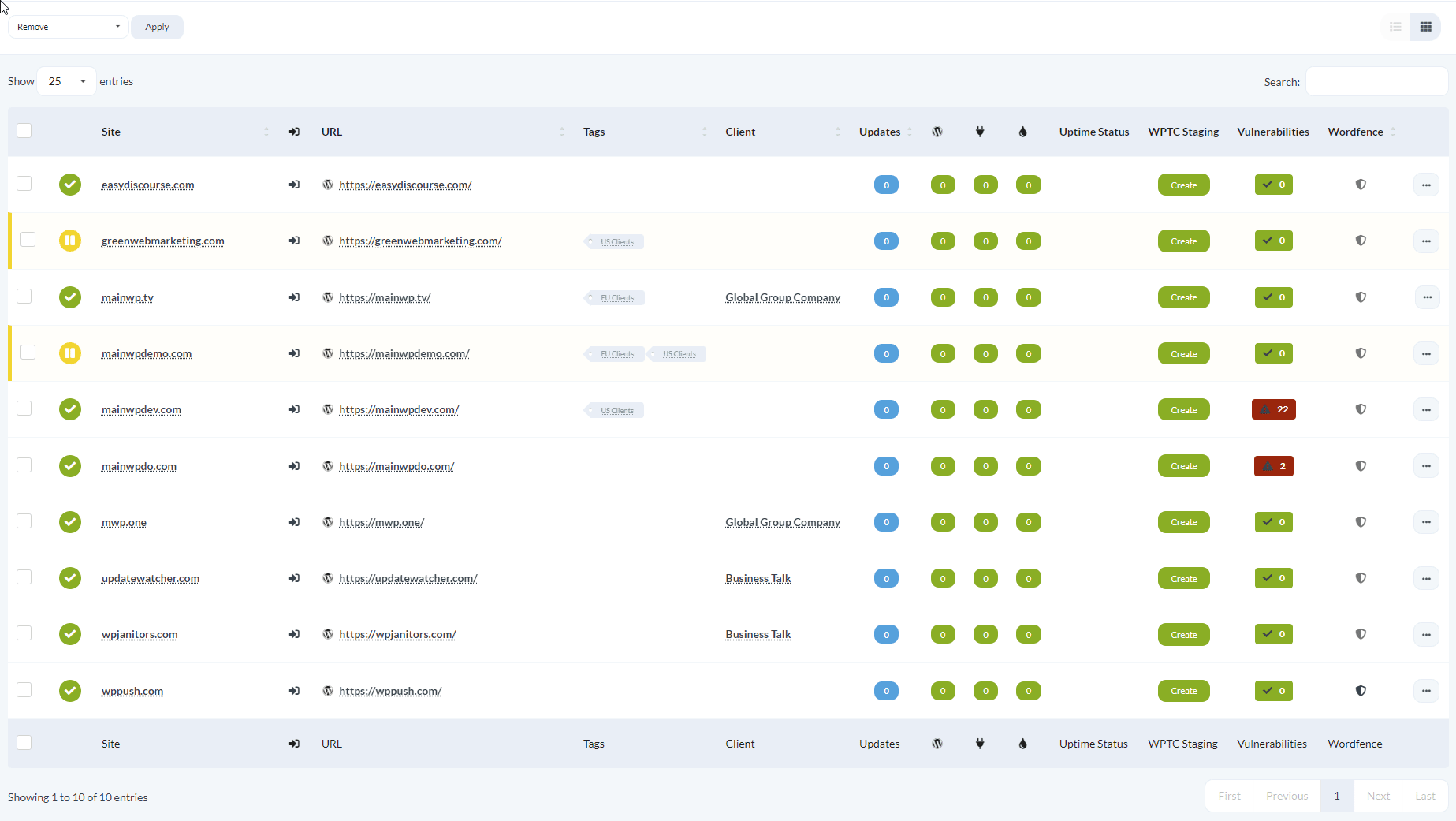
The Manage Sites page offers two display options: Table mode and Grid mode. Table mode shows sites in a traditional table with sortable columns. Grid mode displays sites as visual cards with site screenshots, which can be useful when you recognize sites by their appearance.
Grid mode is an experimental feature. It offers fewer site management options than Table mode and queries WordPress.com servers to capture site screenshots.
## Prerequisites
* Access to a MainWP Dashboard site
* At least one connected child site
## Switch Between Table and Grid View
Open your MainWP Dashboard and go to **Sites > Manage Sites**.
At the top right of the sites area, find the Table and Grid icons.
Click the **Table** icon for a table layout or the **Grid** icon for a card layout. The page reloads in your selected mode.
 ## When to Use Each View
* **Table mode**: Best for sorting, filtering, comparing site details across multiple columns, and accessing the full set of site options
* **Grid mode**: Best for quick visual scanning when you recognize sites by their appearance
Your view preference persists until you change it again.
## When to Use Each View
* **Table mode**: Best for sorting, filtering, comparing site details across multiple columns, and accessing the full set of site options
* **Grid mode**: Best for quick visual scanning when you recognize sites by their appearance
Your view preference persists until you change it again.