
What You’ll Learn
- How to customize the FROM address for MainWP emails
- How to change it for specific email types only
Prerequisites
- Custom Dashboard extension (free)
Default Behavior
MainWP uses the email address configured in WP Admin > Settings > General under Administration Email Address.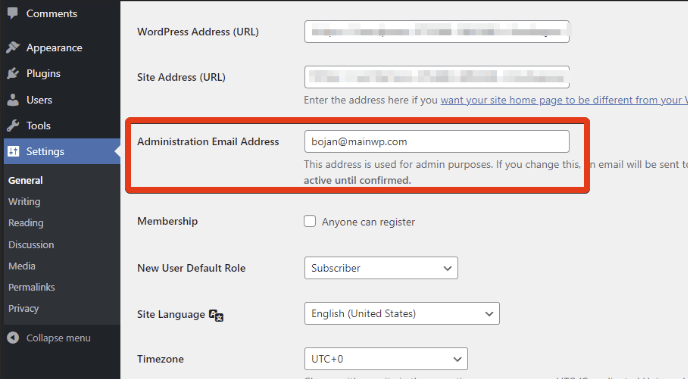
Change FROM Address for All MainWP Emails
1
Install Custom Dashboard
Install the Custom Dashboard extension.
2
Open the extension
Navigate to MainWP > Add-ons > Custom Dashboard.
3
Add the PHP code
Go to the PHP tab and add this code:
4
Customize the values
Replace the placeholder values:
'Your Name'- The sender name recipients will see'your-email@example.com'- The email address to send from
5
Save changes
Click Save Changes. All MainWP emails now use your custom FROM address.
Change FROM Address for Specific Emails Only
To customize the sender only for certain MainWP emails (e.g., Daily Digest), use this conditional version:$email and $subject conditions to match the emails you want to customize.
Common Use Cases
Self-Check Checklist
- Custom Dashboard extension installed
- PHP code added with your email details
- Changes saved
- Test email sent to verify new FROM address
Related Resources
- Dashboard Not Sending Emails - Email troubleshooting
- Edit Email Templates - Template customization
- Custom Dashboard Extension - Extension documentation