
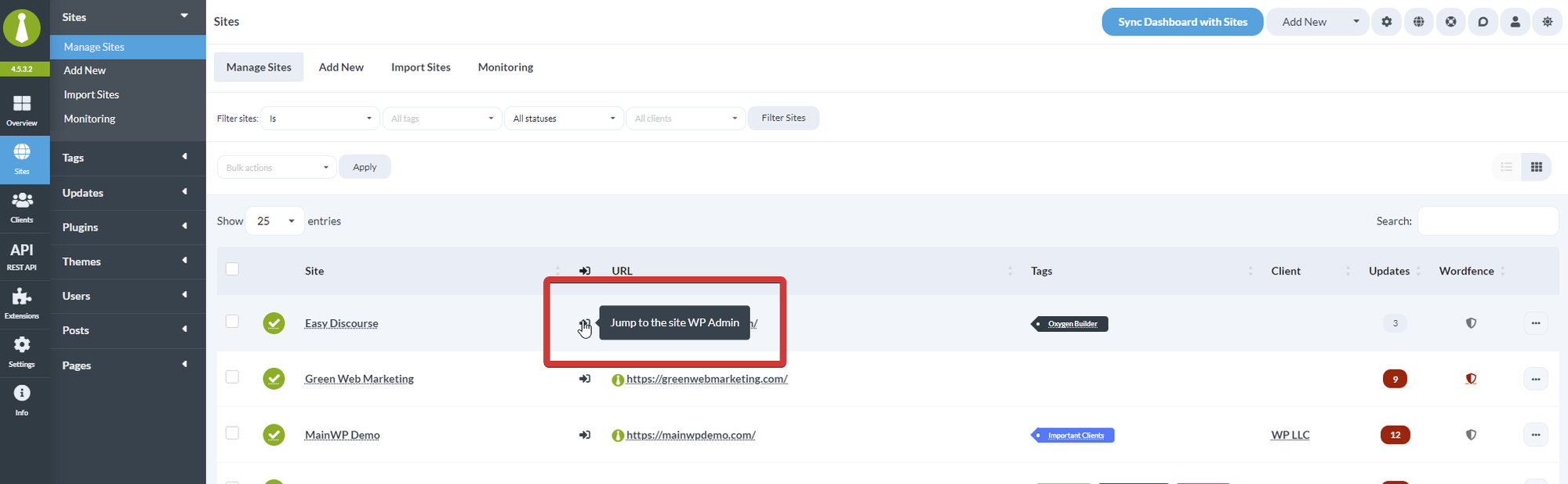
What You’ll Learn
- Identify why Jump to WP Admin fails
- Resolve security plugin conflicts
- Fix WWW prefix mismatches
- Correct HTTP/HTTPS protocol issues
Prerequisites
- MainWP Dashboard with connected child sites
- Admin access to child sites (for security plugin adjustments)
Security Plugin Conflicts
Security plugins that modify login behavior or hide WordPress admin URLs can interfere with Jump to WP Admin.Known Conflicting Plugins
- WPS Hide Login
- Solid Security (formerly iThemes Security)
- Hide My WP Ghost
- All-In-One WP Security
Troubleshoot Security Plugins
1
Test with plugins disabled
Temporarily deactivate security plugins on the child site and test Jump to WP Admin.
2
Identify the conflict
If it works, re-enable plugins one at a time to identify which one causes the issue.
3
Adjust plugin settings
Look for settings that modify:
- Login URL or path
- Admin URL protection
- Session handling
- Auto-logout behavior
WWW Prefix Mismatch
The site URL in MainWP must exactly match the actual URL of the child site, including whether it uses the WWW prefix.Fix WWW Settings
1
Navigate to site settings
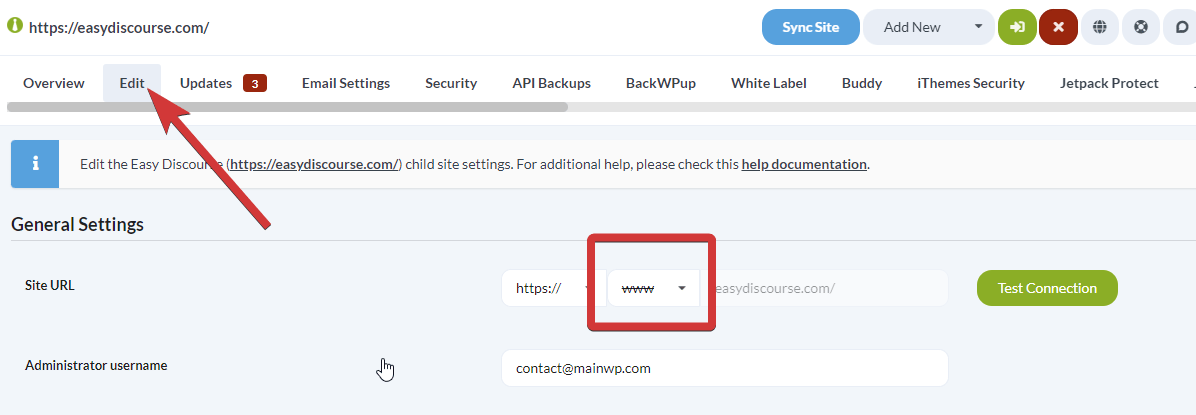
Go to MainWP > Sites > Manage Sites, find the child site, and click Edit.
2
Adjust WWW setting
Locate the www dropdown and select the appropriate option:
- Use if required - Adds www if the site uses it
-
Do not use - Removes www
3
Save settings
Click Save Settings at the bottom of the page.
4
Test Jump to WP Admin
Try the Jump to WP Admin feature again.
HTTP/HTTPS Protocol Mismatch
The site URL must match the protocol (HTTP or HTTPS) the site actually uses.Fix Protocol Settings
1
Navigate to site settings
Go to MainWP > Sites > Manage Sites, find the child site, and click Edit.
2
Adjust protocol setting
Locate the https:// dropdown and select the appropriate protocol for your site.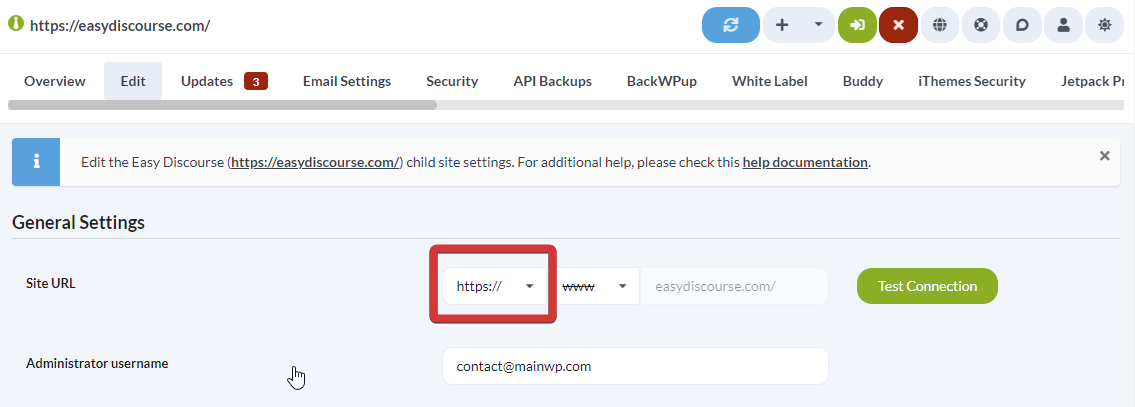
3
Save settings
Click Save Settings at the bottom of the page.
4
Test Jump to WP Admin
Try the Jump to WP Admin feature again.
If your site has an SSL certificate, always use HTTPS. Most modern sites should use HTTPS.
Self-Check Checklist
- Security plugins temporarily disabled for testing
- WWW setting matches actual site URL
- Protocol (HTTP/HTTPS) matches actual site
- Settings saved after adjustments
- Jump to WP Admin works correctly
Related Resources
- Use Jump to WP Admin with HTTP Basic Auth - Special configuration for protected sites
- Change WP Admin URL - Custom admin URL considerations
- Troubleshoot Connection Problems - General connection issues