
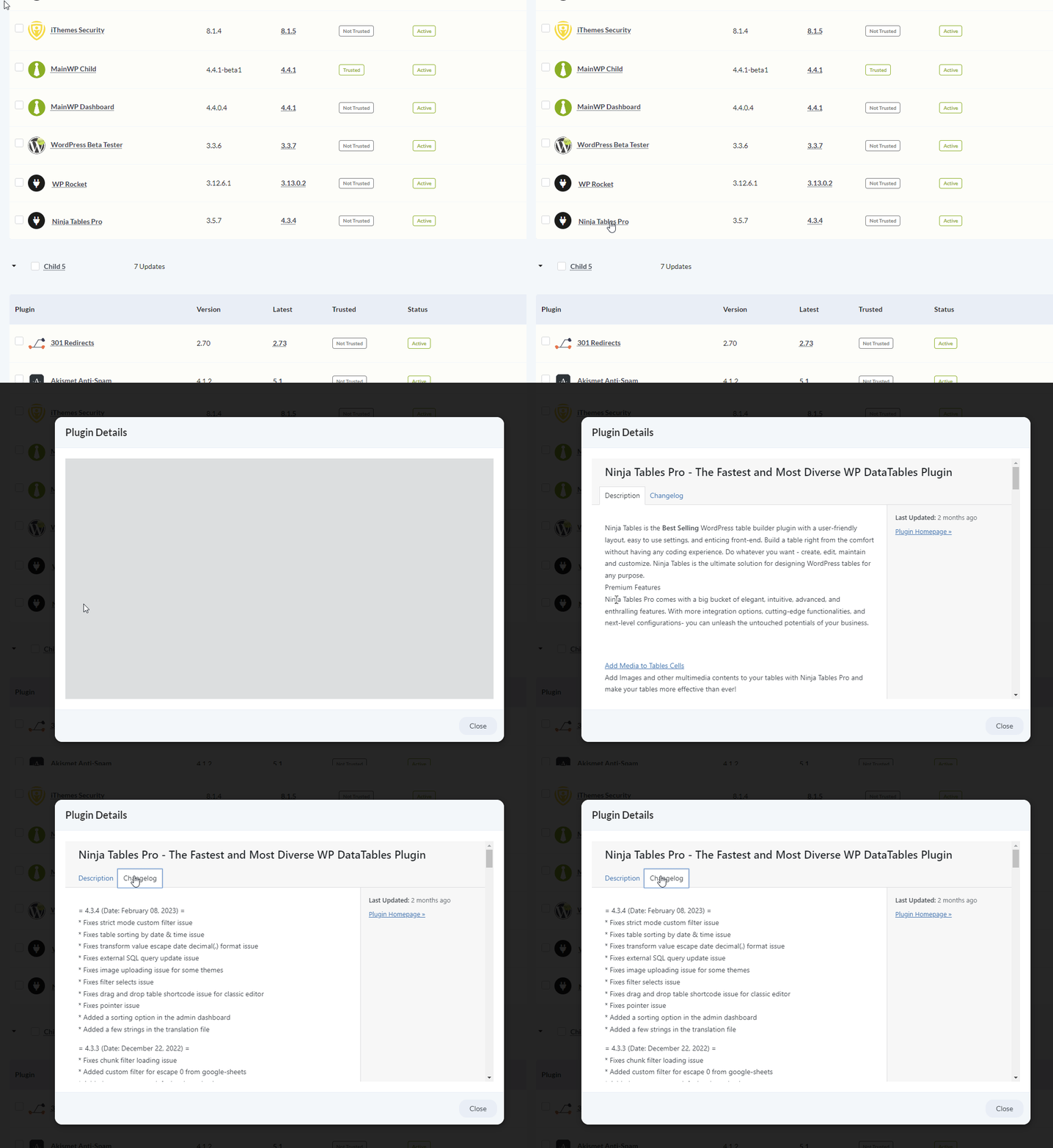
What You’ll Learn
- Why some premium plugins don’t show changelogs
- Steps to troubleshoot missing changelog information
- Alternative ways to find plugin changelogs
- Technical details for plugin developers
Prerequisites
- MainWP Dashboard version 4.4.1 or later
- Premium plugin installed on child sites
- Admin access to your Dashboard
Why Some Premium Plugins Don’t Show Changelogs
Premium plugins distribute updates outside the WordPress.org repository. To make changelogs available, plugin authors must implement specific WordPress hooks that provide update and changelog information to the WordPress update system. Not all premium plugin authors implement these hooks. When they’re missing, WordPress (and therefore MainWP) cannot retrieve the changelog data.Troubleshoot Missing Changelogs
1
Verify Dashboard version
Go to MainWP > Status and confirm you’re running version 4.4.1 or later. Earlier versions don’t support premium plugin changelogs.
2
Sync the child site
Force a fresh sync from MainWP > Sites > Manage Sites to ensure MainWP has the latest plugin information.
3
Check plugin settings
Some plugins display changelog information in their own settings pages. Use Jump to WP Admin to access the child site and navigate to the plugin’s settings.
4
Contact the plugin author
If the changelog still doesn’t appear, the plugin doesn’t implement WordPress standards. Contact the vendor and ask:
- Where to find the changelog for each version
- Whether they plan to add WordPress-standard changelog support
Alternative: Find Changelogs Elsewhere
When changelogs don’t appear in MainWP, check these sources:
Bookmark these pages for quick reference before running updates.
For Plugin Developers
To make your plugin’s changelog visible in MainWP and WordPress update screens, implement thepre_site_transient_update_plugins filter.
When MainWP Child runs get_plugin_updates(), it retrieves whatever information WordPress has about available updates—including changelogs—and synchronizes that data to the Dashboard.
Required Implementation
Your update server response should include:WordPress References
get_plugin_updates()- Retrieves plugin update informationpre_site_transient_{$transient}- Filter hook for injecting update data
pre_site_transient_update_themes instead.
Properly implementing these standards ensures your plugin’s changelog appears in MainWP, WordPress dashboard, and any other management tool that uses WordPress’s update APIs.
Self-Check Checklist
- MainWP Dashboard is version 4.4.1 or later
- Child site has been synced recently
- Checked plugin’s settings page for changelog
- Contacted vendor about missing changelog (if needed)
- Found alternative source for changelog information
Related Resources
- Premium Plugin Updates Not Detected - Update detection issues
- Premium Theme Updates Not Detected - Theme-specific issues
- Manage Updates - Update management overview