
What You’ll Learn
- Installing and linking Termageddon with your API key
- Creating policy pages (Privacy Policy, Terms of Service, Disclaimer, Cookie Policy & Consent Tool)
- Editing and deleting policy pages
- Linking sites to Policy Sets for status monitoring
Integration Add-on - This add-on extends MainWP to work with the Termageddon API. It requires a Termageddon account and API key.
Termageddon for MainWP is a free Integration Add-on developed by Termageddon. Using this add-on, you can create and manage Termageddon policy pages for your Child Sites from your MainWP Dashboard. The add-on also checks Termageddon policy set statuses so you can see when a linked policy set requires action.
Setting up the extension
1
Go to your MainWP Dashboard
2
Go to Add-ons > Manage Add-ons
3
Click the Install Add-ons button
Click the Install Add-ons button 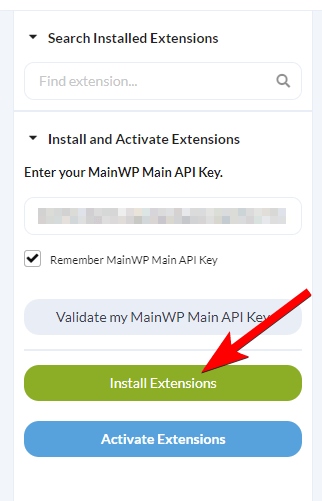
4
Locate the Termageddon for MainWP extension and select it
5
Click the Install button
6
Once the installation process is complete, click the Activate Add-ons button.
Once the installation process is complete, click the Activate Add-ons button. 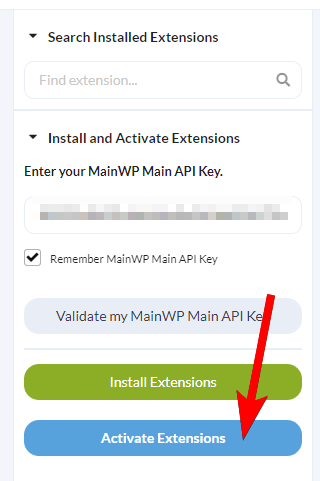
7
Navigate to Add-ons > Termageddon for MainWP
8
Click the Link with API Key button and enter your Termageddon API key
Click the Link with API Key button, enter the API key generated in your Termageddon Dashboard, and click Save API Key. 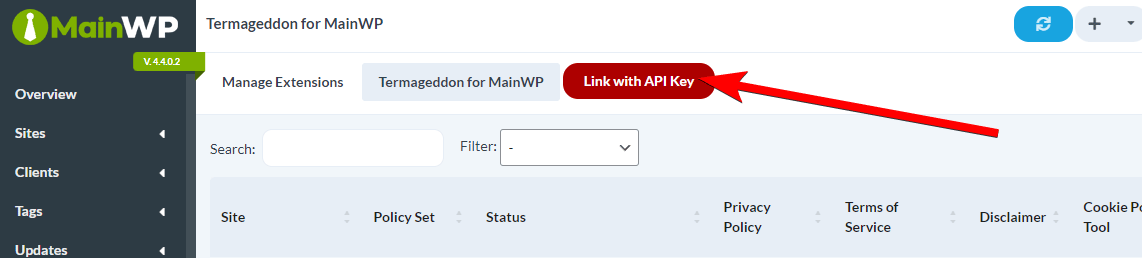
How to create Termageddon Policy Pages
1
Login to your MainWP Dashboard
2
Navigate to Add-ons > Termageddon for MainWP
3
Locate the site for which you wish to create a policy page
4
Click the Add Page button in the appropriate column
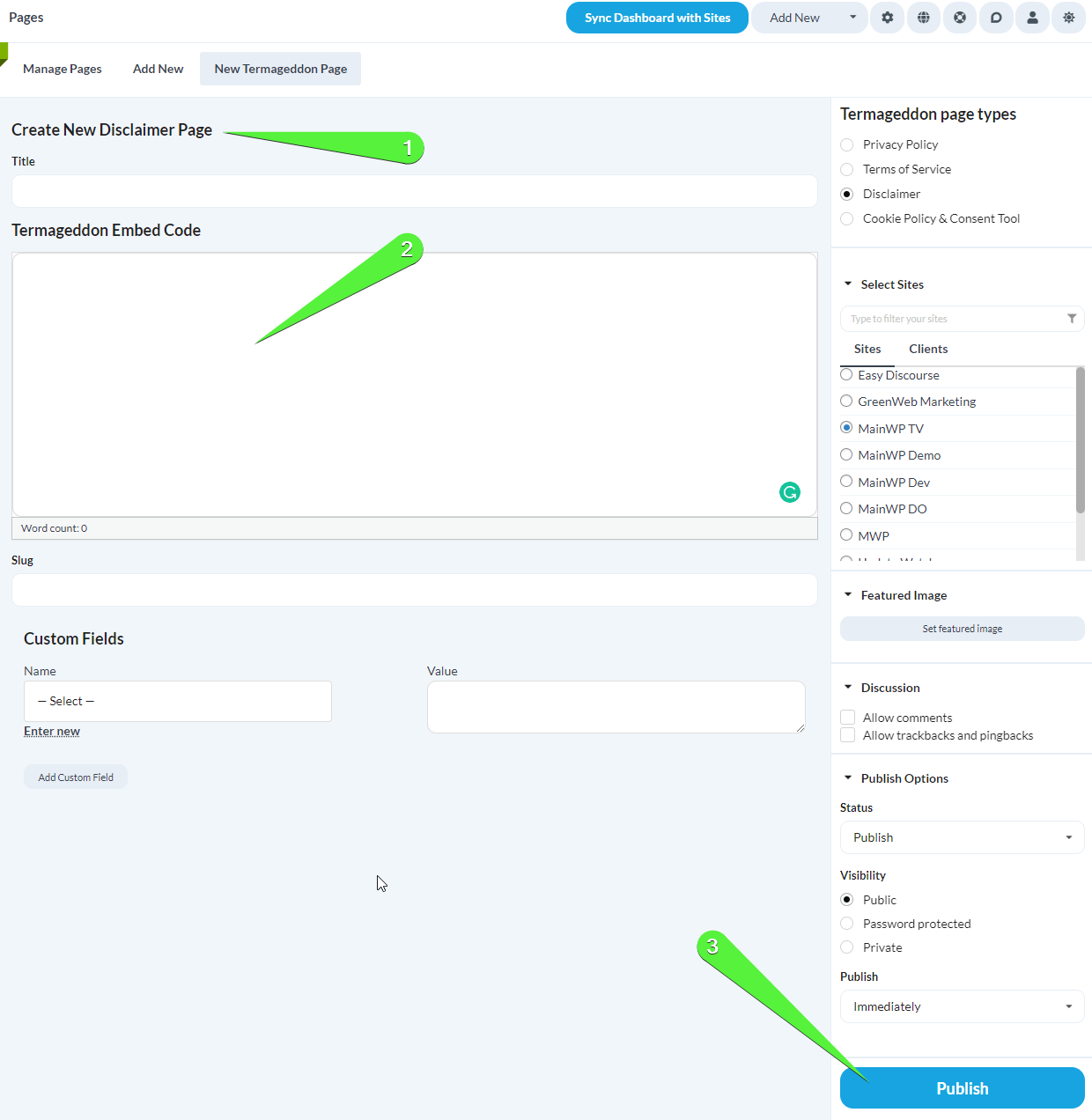
Click the Add Page button in the appropriate Column.NOTE: Termageddon currently supports Privacy Policy, Terms of Service, Disclaimer and Cookie Policy & Consent Tool.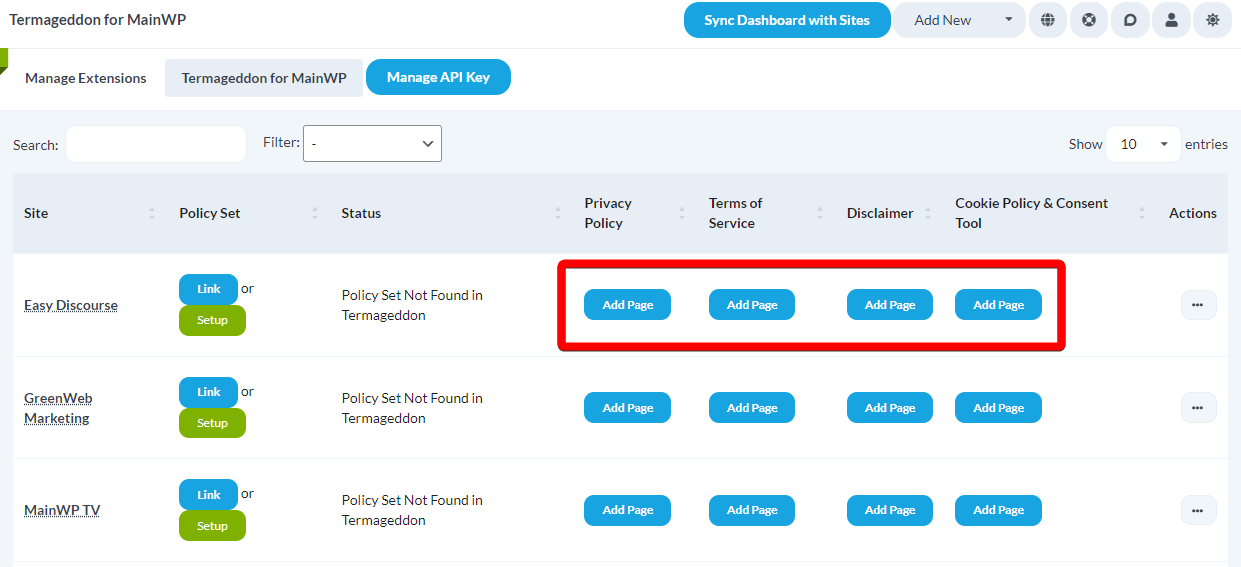
- Enter the title for the desired page
- Paste in the Termageddon Embed Code copied from your Termageddon account
- Review the rest of the page options, and when ready, click the Publish button
How to edit or delete a Policy Page
After you’ve created a policy page, the Add Page button will become Edit Page. Simply click it to edit an existing policy page. To delete policy pages, select the Delete [policy type] action from the ellipsis menu next to a desired policy page, and confirm the deletion.
Link a child site to a Policy Set
After you’ve created a Policy Set on Termageddon Dashboard, you can link a Child Site to that Policy Set. The benefit of linking a child site to the Policy Set is that you will get notified in the Termageddon for MainWP extension, in the Status column, if an action is required (Statuses: Update Required, Incomplete, Pending Invite). If there are no actions required, the Status will display Active.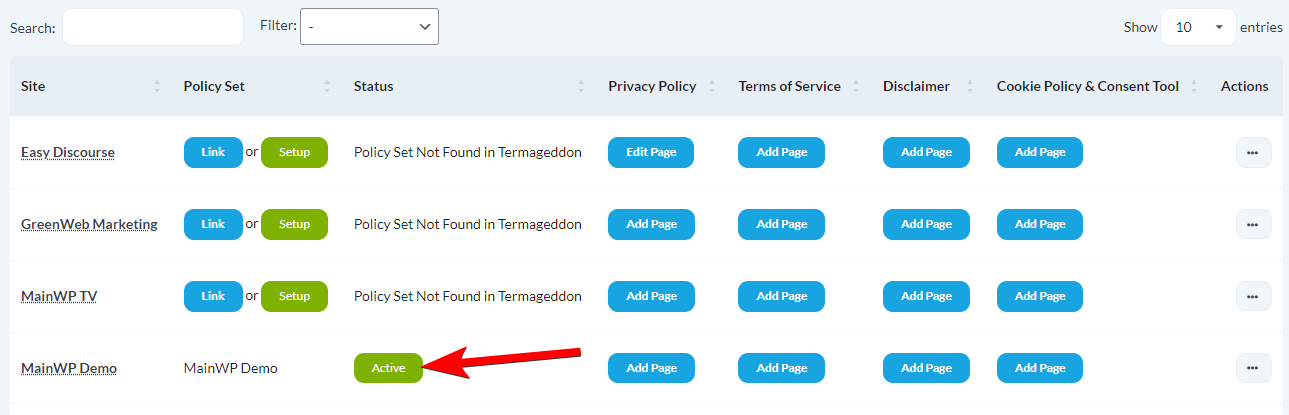
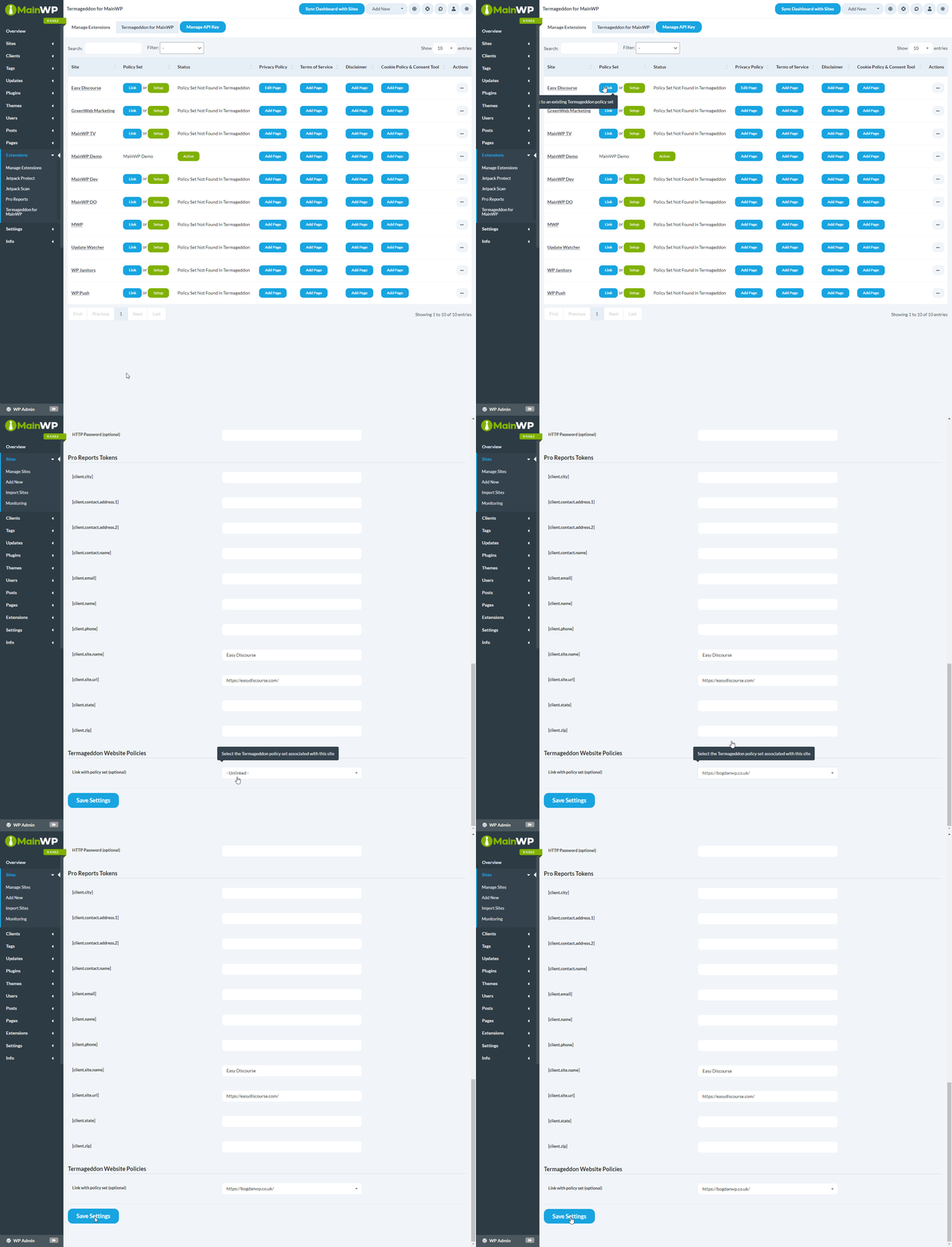
Filter Sites
The “Filter” option allows you to filter your Child Sites based on the below statuses:- Active
- Update Required
- Incomplete
- Pending Invite

Related Resources
- Posts/Pages Add-ons - Browse all content tools
- Manage Pages - Page management guide
- White Label Extension - Customize branding for clients