
What You’ll Learn
- Scanning child sites with Sucuri SiteCheck
- Viewing previous scan reports and settings
- Setting scan reminders for child sites
- SSL certificate verification during scans
Integration Add-on - This add-on connects MainWP Dashboard to Sucuri SiteCheck. It does not require the Sucuri plugin on your child sites.
The MainWP Sucuri Extension uses Sucuri’s proprietary SiteCheck Tool to scan your sites. Sucuri provides web-based malware scanning of your websites using the latest fingerprinting technology, allowing you to determine if your web applications are out of date, exploited with malware, or even blacklisted by popular search engines.
Important Notes:
The extension supports manual scans of one website at a time. Scheduled scans and scanning multiple websites at once are not supported.
A Sucuri.net subscription is not required for this extension to function.
Scan Your Child Site With Sucuri
1
Log in to your MainWP Dashboard
2
Go to Sites > Security > Sucuri
3
Locate the site that you want to check and click the Scan Now button
Locate the site that you want to check and click the Scan Now button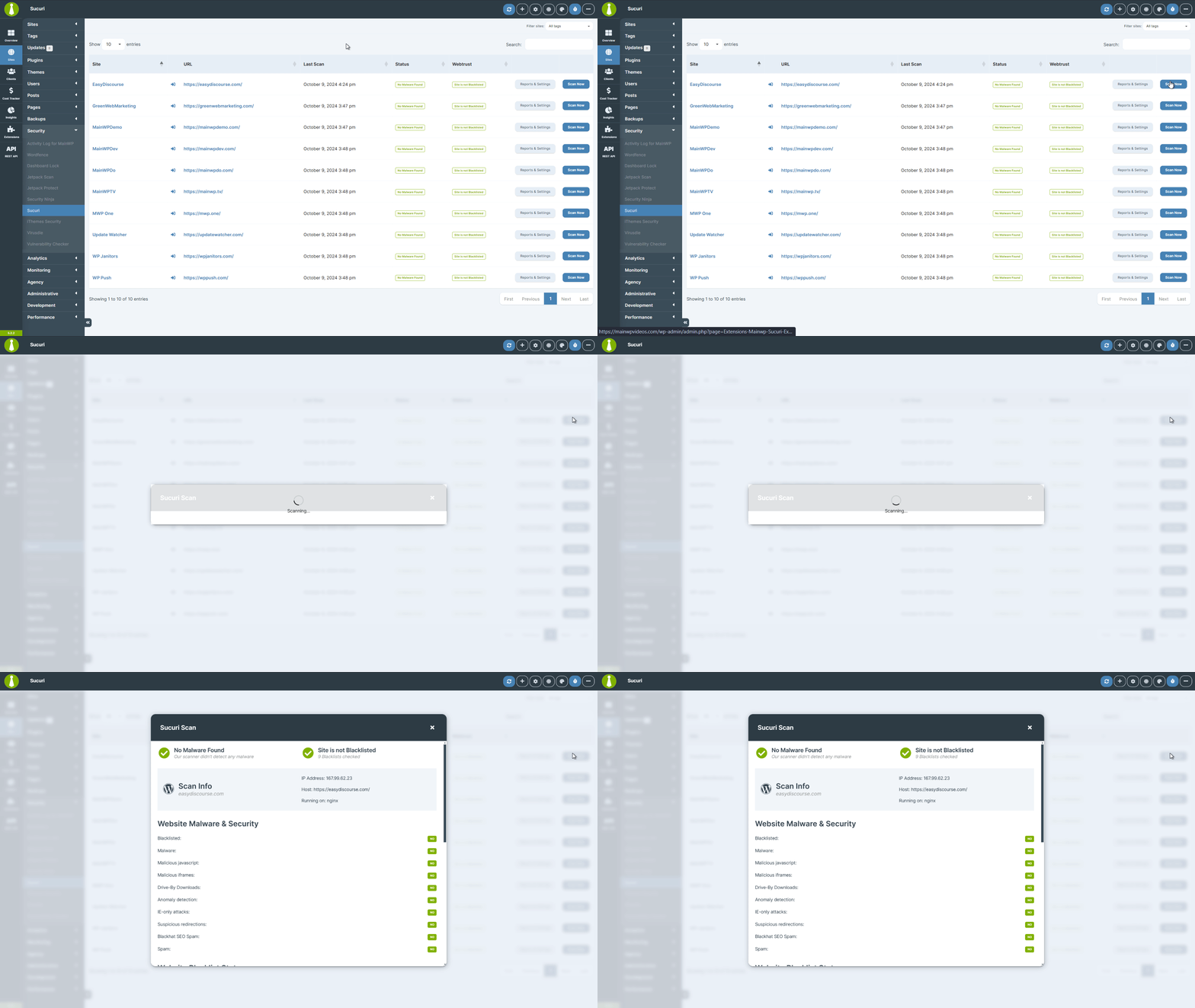
Previous Child Site Reports and Settings
1
Log in to your MainWP Dashboard
2
Go to Sites > Security > Sucuri
3
Locate the desired site and click the Reports & Settings button
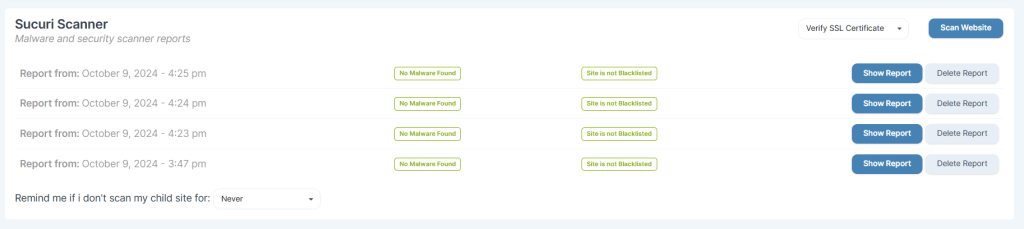
- Choose whether to Verify SSL Certificate for Sucuri scan requests. This setting applies to all sites.
- Show and Delete any of the previous reports
- Set to be reminded if you don’t scan this child site (Never, 1 Day, 1 Week, 1 Month).
Related Resources
- Security Add-ons - Browse all security tools
- Wordfence Extension - Alternative security integration
- Vulnerability Checker Extension - Scan for known vulnerabilities